UIKit - UITextView 입력 글자 위치 조정하기
UIKit - UITextView 입력 글자 위치 조정하기
이전글에서 UITextField에 padding을 줘서 입력되는 문자의 위치를 잡는 방법에 대해 작성하였음.
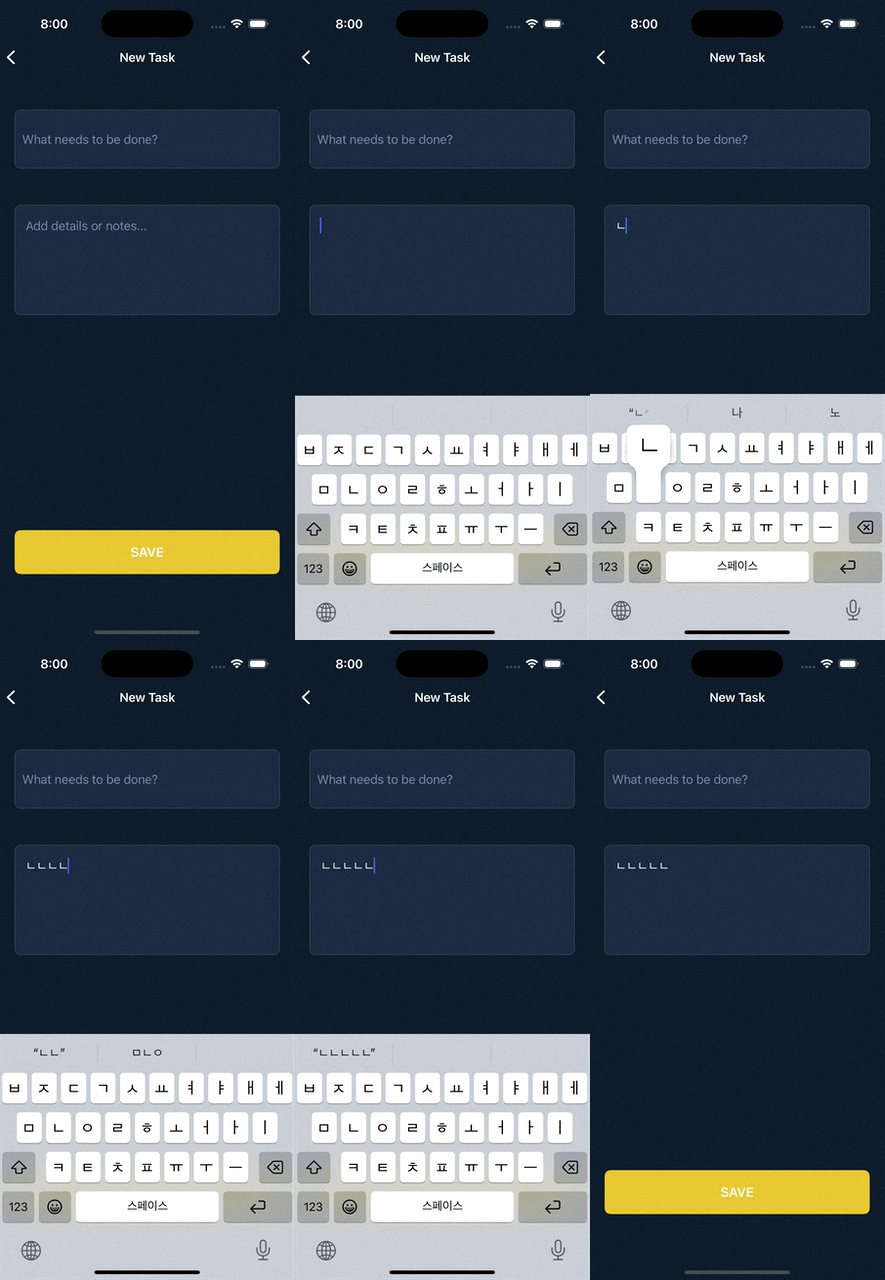
UITextView는 UITextField처럼 leftView, rightView가 제공되지 않기 때문에 textContainerInset을 통해 여백을 조정해야함.
textContainerInset은 textView 내부의 상하좌우 inset을 설정할 수 있음.
contentInset으로도 내부 상하좌우inset을 조정할 수 있으나, 이것은UIScrollView에서 사용하는inset임.
TodoAddView.swift
1
2
3
4
5
6
7
8
9
10
11
12
13
14
15
16
17
18
19
20
21
22
23
24
25
26
27
28
29
30
31
32
import UIKit

class TodoAddView: UIView {

    ...

    // MARK: - 할일 세부 사항(또는 메모) 텍스트 뷰
    let todoDescriptionTextView: UITextView = {
        let textView = UITextView()

        // textContainerInset 설정
        textView.textContainerInset = UIEdgeInsets(top: 15, left: 7, bottom: 15, right: 7)

        textView.backgroundColor = UIColor(named: "textFieldColor")

        textView.font = UIFont.systemFont(ofSize: 17)
        textView.text = Constant.DESCRIPTION_PLACEHOLDER
        textView.textColor = .createdDate

        textView.layer.borderColor = UIColor.gray.cgColor
        textView.layer.borderWidth = 0.3

        textView.clipsToBounds = true
        textView.layer.cornerRadius = 8

        textView.translatesAutoresizingMaskIntoConstraints = false

        return textView
    }()

    ...
}
결과
Reference
This post is licensed under CC BY 4.0 by the author.