UIKit - Main Storyboard 파일 제거하기
UIKit - Main Storyboard 파일 제거하기
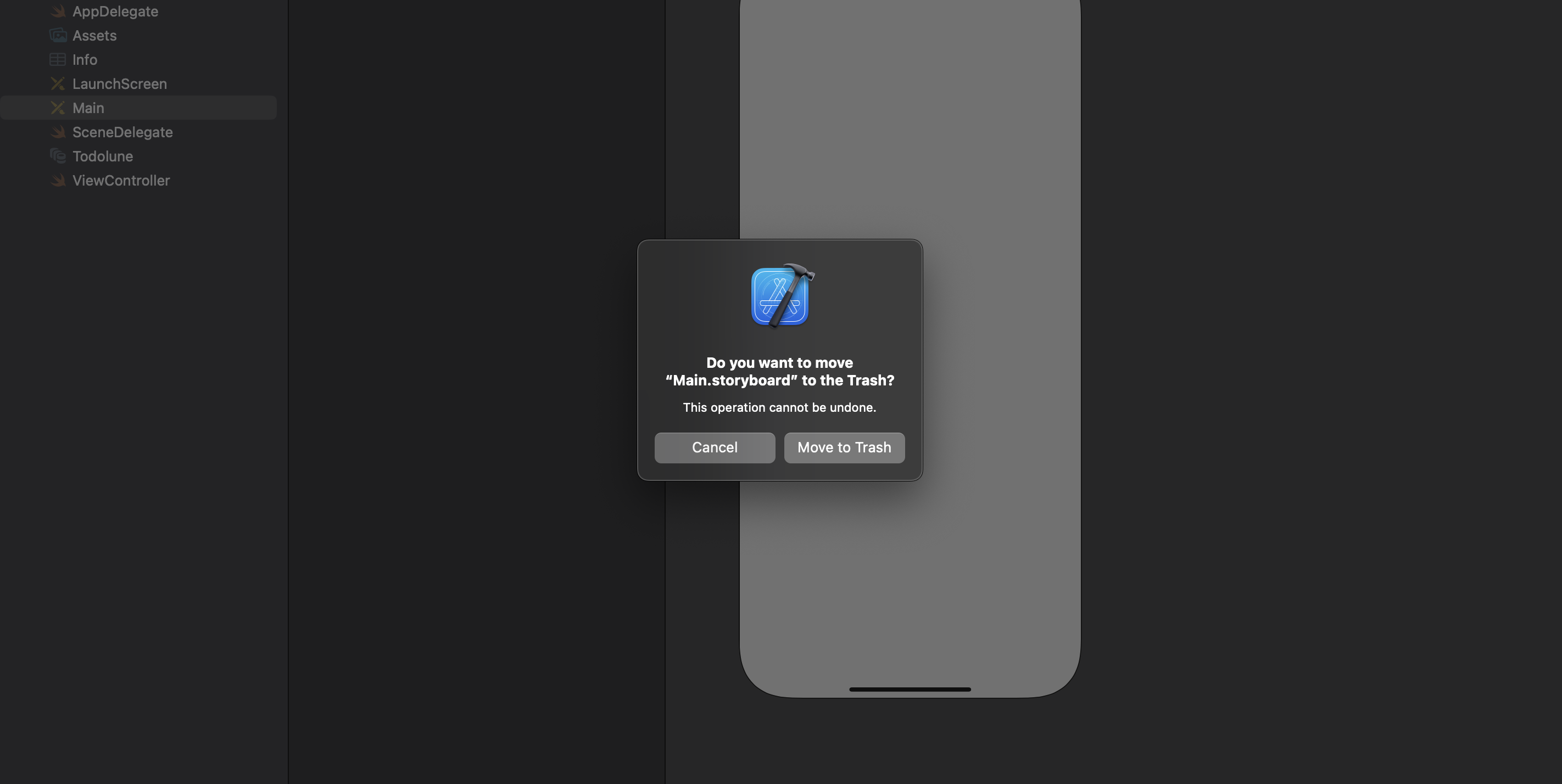
1. Main Storyboard 파일 제거
프로젝트 내 Main.storyboard 파일 제거
2. Project Setting에서 Main Storyboard 관련 설정 제거
Base Name 항목 제거

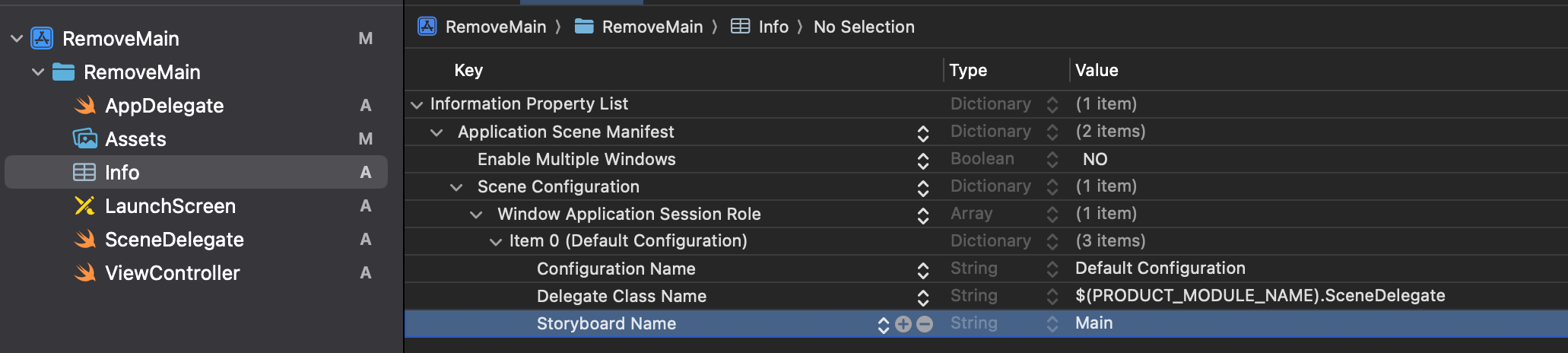
3. info.plist 파일 수정
Storyboard Name 제거
4. SceneDelegate 코드 수정
맨 처음 표시되는 Main.storyboard를 제거했기 때문에 코드로 직접 처음 표시될 ViewController를 설정해줘야함.
1
2
3
4
5
6
7
8
9
10
11
12
13
14
15
16
17
18
import UIKit

class SceneDelegate: UIResponder, UIWindowSceneDelegate {

    var window: UIWindow?


    func scene(_ scene: UIScene, willConnectTo session: UISceneSession, options connectionOptions: UIScene.ConnectionOptions) {
        guard let windowScene = (scene as? UIWindowScene) else { return }

        window = UIWindow(windowScene: windowScene)

        window?.rootViewController = ViewController()
        window?.makeKeyAndVisible()
    }

  ...
}
5. 제대로 설정됬는지 확인
ViewController.swift
1
2
3
4
5
6
7
8
9
10
import UIKit

class ViewController: UIViewController {

    override func viewDidLoad() {
        super.viewDidLoad()

        self.view.backgroundColor = .green
    }
}
결과

This post is licensed under CC BY 4.0 by the author.