UIKit - UITableView 스와이프 버튼 구현하기
UIKit - UITableView 스와이프 버튼 구현하기
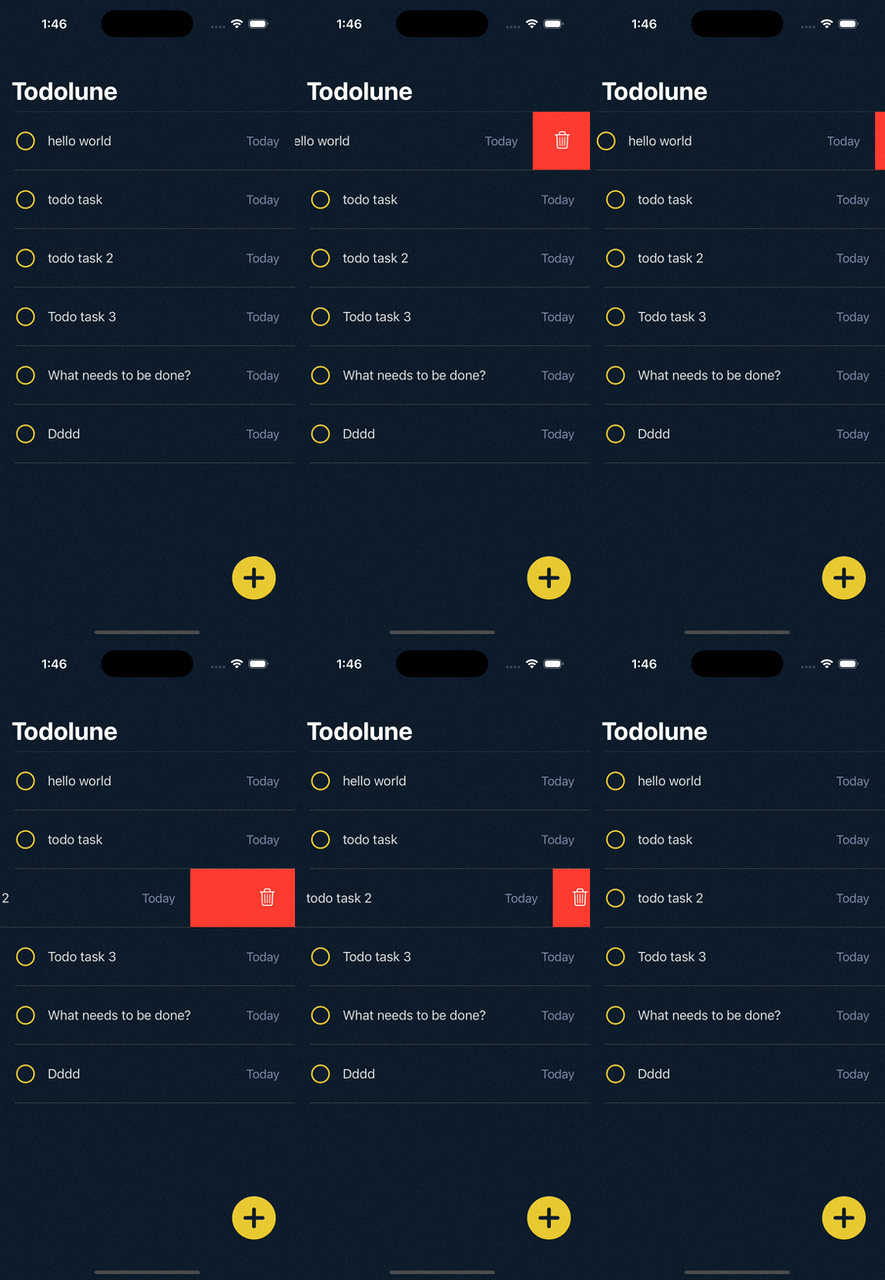
UITableView의 Delegate 메서드를 구현하여 스와이프 액션을 처리할 수 있음.
ViewController.swift
1
2
3
4
5
6
7
8
9
10
11
12
13
14
15
16
17
18
19
20
21
22
23
24
25
26
27
28
29
30
31
32
33
34
35
36
37
38
39
40
41
42
43
44
45
import UIKit

final class ViewController: UIViewController {

    // UITableView 인스턴스 생성
    private let tableView = UITableView()

    ...


    override func viewDidLoad() {
      super.viewDidLoad()

      // viewDidLoad 시점에 호출
      setupTableView()
    }


    func setupTableView(){
        ....

        // Delegate 설정
        tableView.delegate = self

        ...
    }
}

// MARK: - 테이블뷰 Delegate
extension ViewController: UITableViewDelegate{

    // 오른쪽 스와이프 처리
    func tableView(_ tableView: UITableView, trailingSwipeActionsConfigurationForRowAt indexPath: IndexPath) -> UISwipeActionsConfiguration? {

        // 삭제 버튼 설정
        let deleteButton = UIContextualAction(style: .destructive, title: nil) { _, _, success in
            print("\(indexPath.row) 삭제 버튼 클릭")
            success(true)
        }

        deleteButton.image = UIImage(systemName: "trash")

        return UISwipeActionsConfiguration(actions: [deleteButton])
    }
}
결과
Reference
This post is licensed under CC BY 4.0 by the author.