UIKit - TableView 구현 (스토리보드)
UIKit - TableView 구현 (스토리보드)
TableView 구현 (스토리보드)
1.ViewController에 Table View 요소 올리기
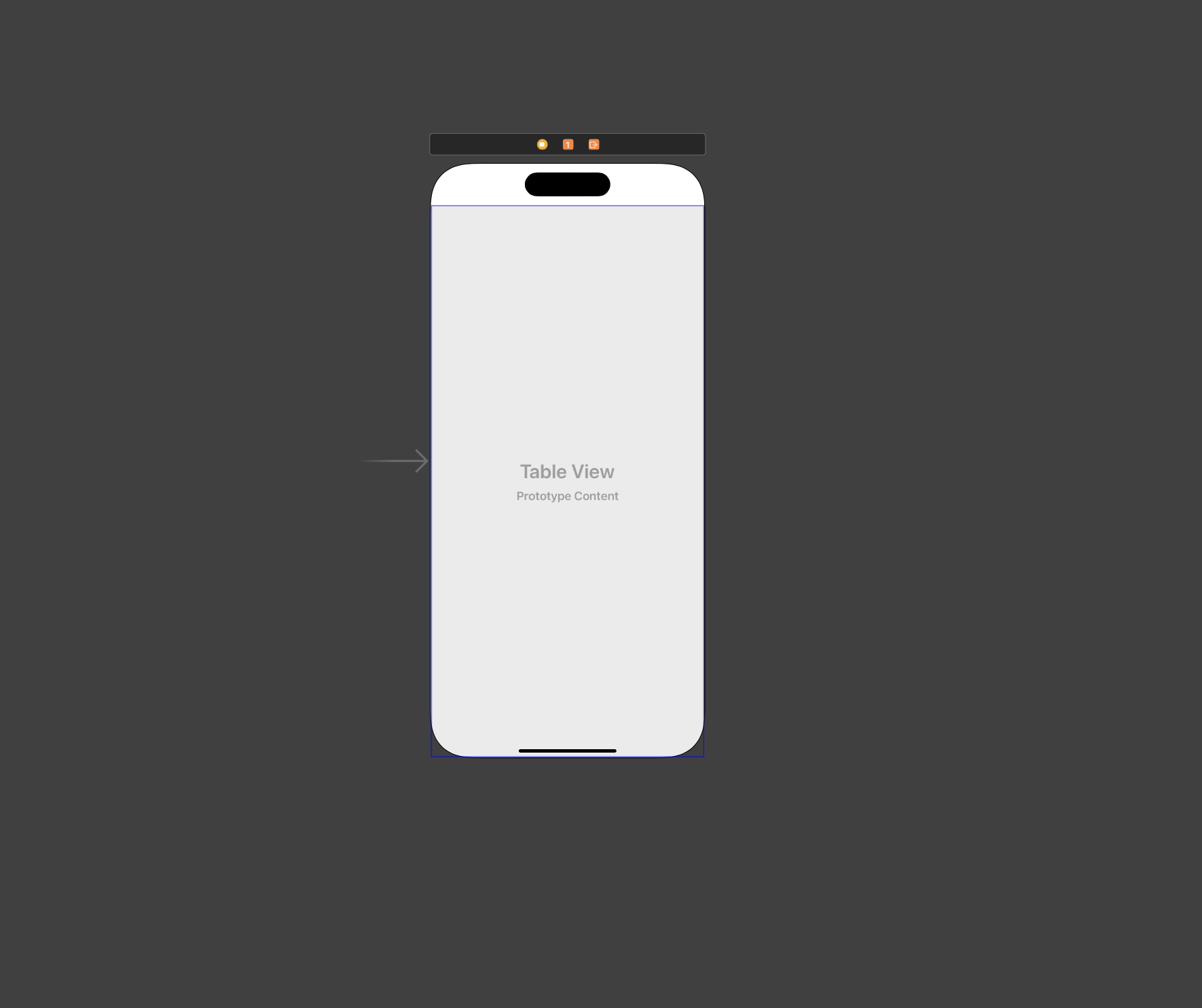
2.Table View 위에 Table View Cell 올리기
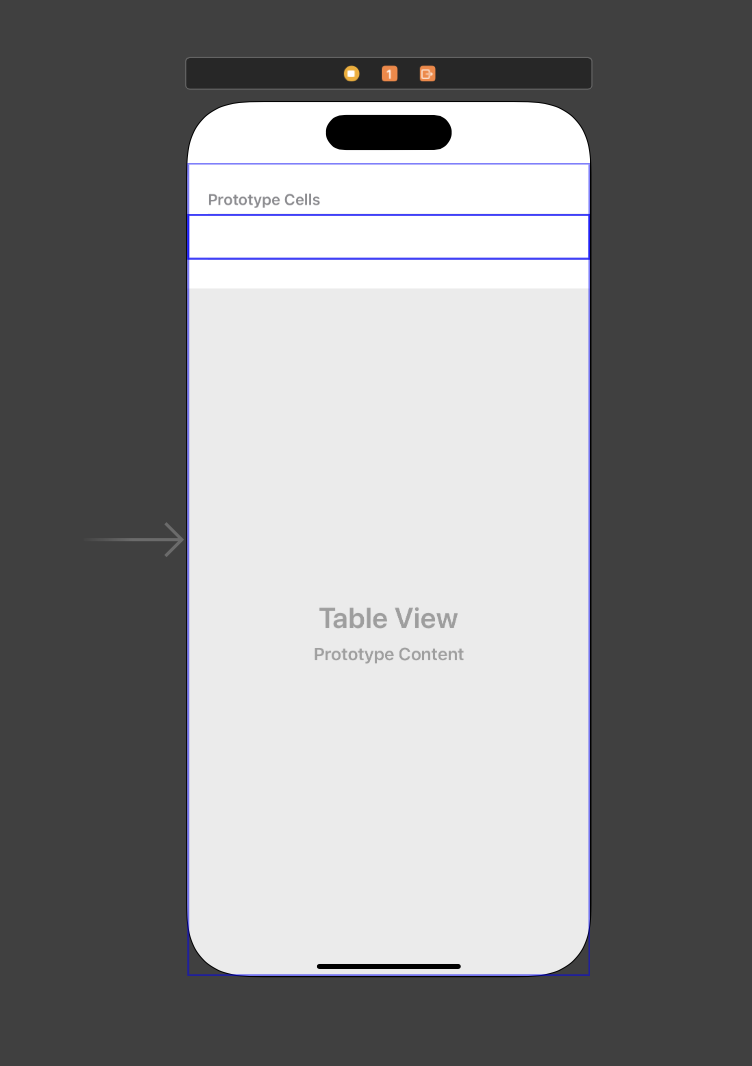
3.Table View Cell에 필요한 요소 설정
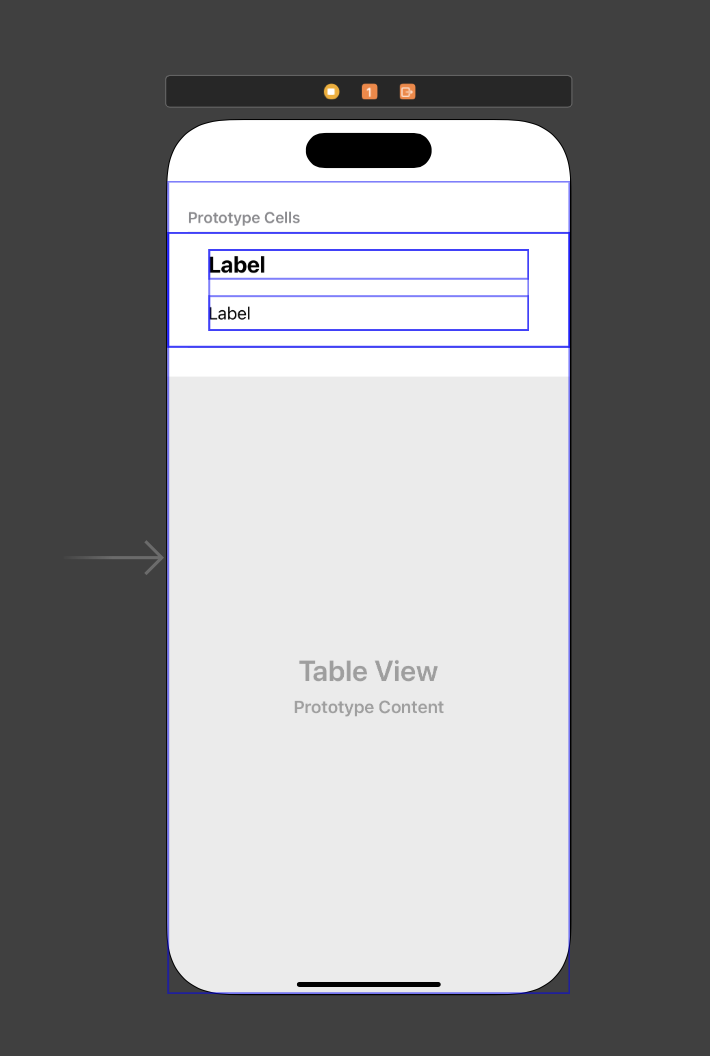
4.Table View Cell과 연결할 UITableViewCell을 상속받은 클래스 생성
1
2
3
4
5
6
7
8
9
import UIKit

class TodoTableViewCell: UITableViewCell {

    override func setSelected(_ selected: Bool, animated: Bool) {
        super.setSelected(selected, animated: animated)
    }

}
5.Table View Cell과 연결
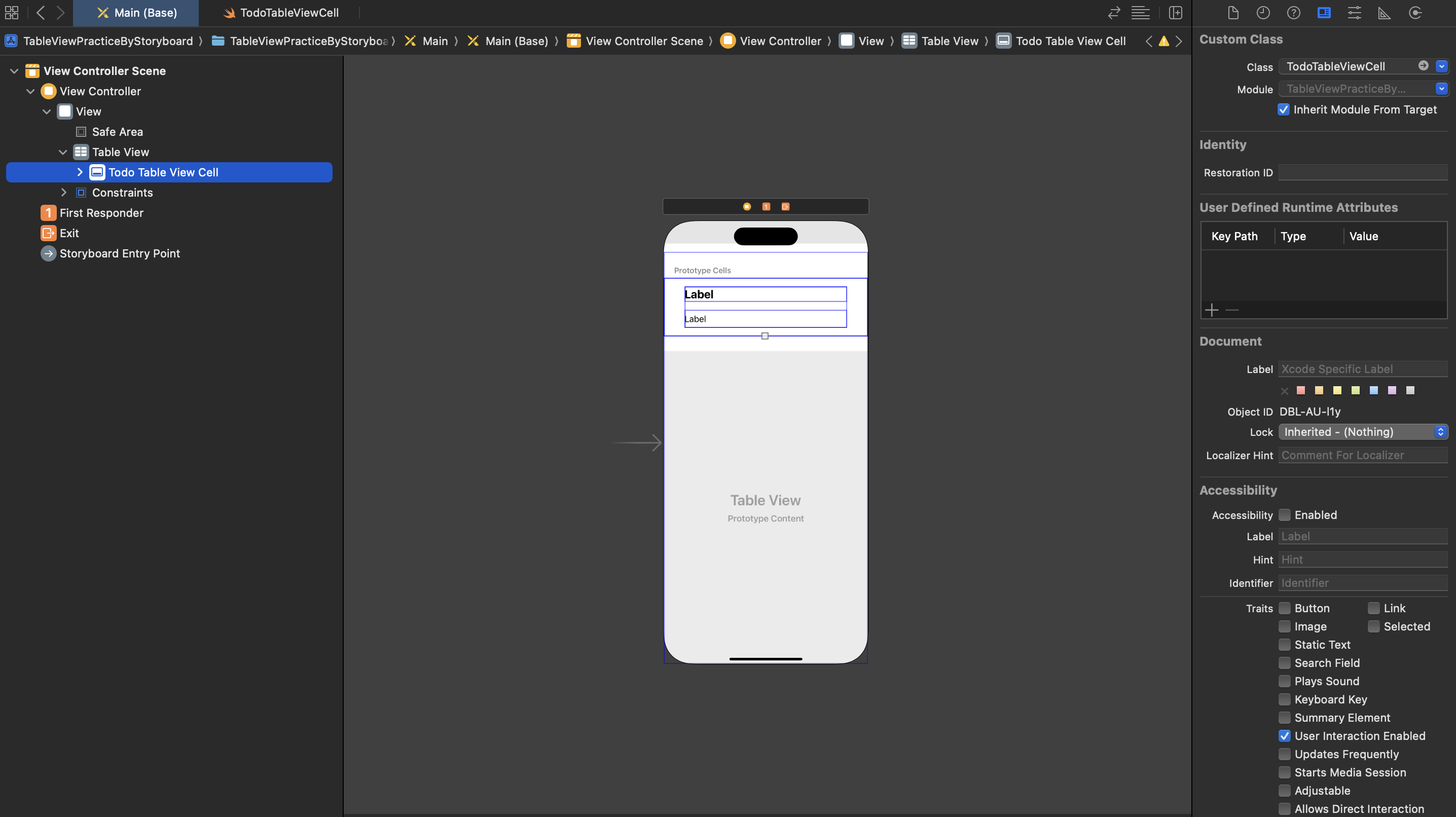
6.IBOutlet으로 Table View Cell 위에 있는 요소들 연결
1
2
3
4
5
6
7
8
9
10
11
12
import UIKit

class TodoTableViewCell: UITableViewCell {

    @IBOutlet weak var titleLabel: UILabel!
    @IBOutlet weak var detailLabel: UILabel!

    override func setSelected(_ selected: Bool, animated: Bool) {
        super.setSelected(selected, animated: animated)
    }

}
7.Table View Cell Identifier 설정
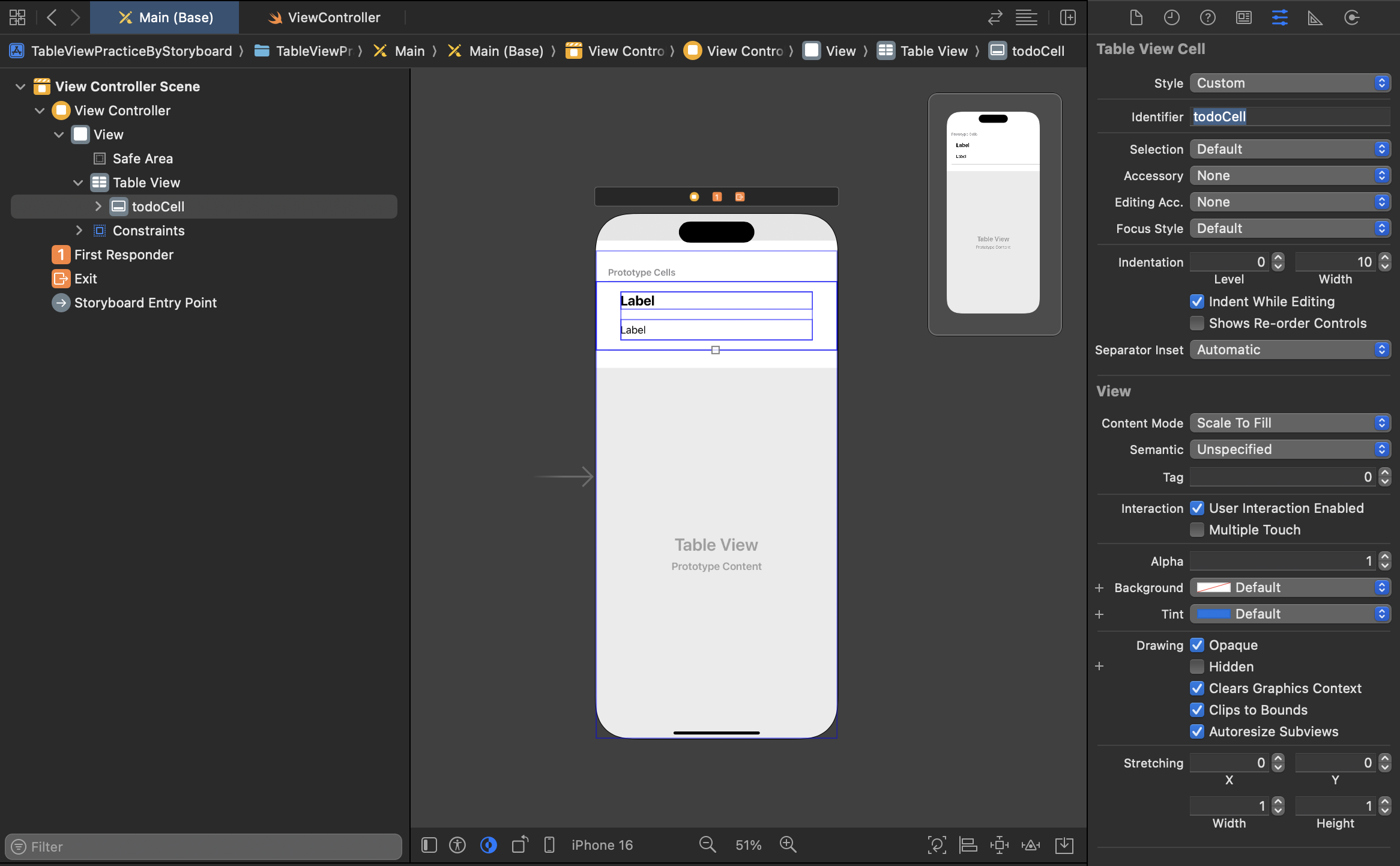
8.ViewController에 필요한 로직 작성
1
2
3
4
5
6
7
8
9
10
11
12
13
14
15
16
17
18
19
20
21
22
23
24
25
26
27
28
29
30
31
32
33
34
35
36
37
38
39
40
41
42
43
44
import UIKit

class ViewController: UIViewController {

    @IBOutlet weak var tableView: UITableView!

    var todos: Array<Todo> = [
        Todo(title: "밥 먹기", detail: "라면이랑 먹어야함."),
        Todo(title: "약 먹기", detail: "점심 먹은 후에 약 먹어야함."),
        Todo(title: "공책 사기", detail: "영어 해석 필기 노트 다 떨어져서 공책 사러가야함.")
    ]

    override func viewDidLoad() {
        super.viewDidLoad()

        // 테이블뷰 datasource 설정
        tableView.dataSource = self

        // Cell 높이 설정
        tableView.rowHeight = 160
    }
}

extension ViewController: UITableViewDataSource{

    // Cell 수
    func tableView(_ tableView: UITableView, numberOfRowsInSection section: Int) -> Int {
        return todos.count
    }

    // 표시될 Cell 구성
    func tableView(_ tableView: UITableView, cellForRowAt indexPath: IndexPath) -> UITableViewCell {

        // 테이블뷰에서 Cell 꺼내기
        let cell = tableView.dequeueReusableCell(withIdentifier: "todoCell", for: indexPath) as! TodoTableViewCell

        let todo = todos[indexPath.row]

        cell.titleLabel.text = todo.title
        cell.detailLabel.text = todo.detail

        return cell
    }
}
UITableViewDataSource는 테이블뷰를 사용하는데 반드시 구현해야하는 프로토콜로,Cell의 수,Cell구성에 대한 메서드를 필수적으로 오버라이딩해야함. 추가로, 테이블뷰에 요소가 터치, 스크롤과 같은 동작을 처리하기 위해선UITableViewDelegate프로토콜을 구현해서 처리가 가능함.
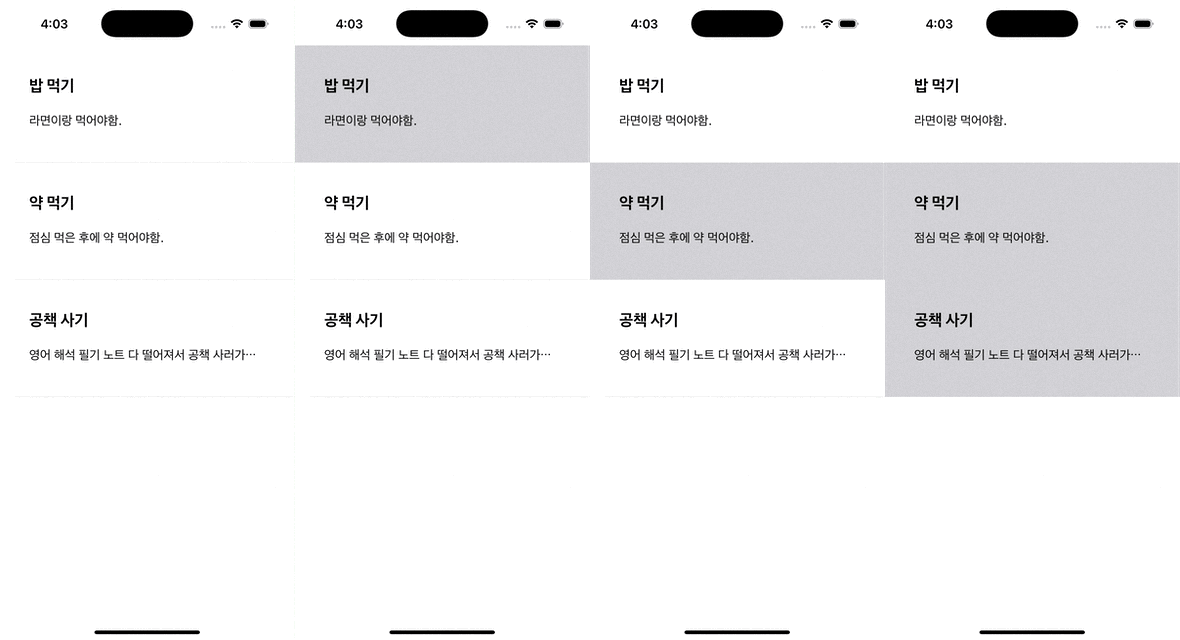
결과
This post is licensed under CC BY 4.0 by the author.