UIKit - Shake Animation 적용하기
UIKit - Shake Animation 적용하기
CAKeyframeAnimation 클래스를 통해 요소에 Shake Animation을 적용할 수 있음.
CAKeyframeAnimation 클래스는 layer 객체에 keyframe 애니메이션을 적용하기 쉽게 해줌.
예시 코드
1
2
3
4
5
6
7
8
9
10
11
12
13
14
15
16
17
18
19
20
21
22
23
24
25
26
27
28
29
30
31
32
33
import UIKit

final class RegisterView: UIView {

    func displayValidateMessage(message: String, textField: UITextField){

        ...

        // keyPath 값을 통해 사용할 애니메이션 결정.
        let animation = CAKeyframeAnimation(keyPath: "position.x")

        // keyPath에서 사용하려는 값 할당.
        // position.x 값이 0 -> 10 -> -10 -> 10 -> 0 으로 변함.
        animation.values = [0, 10, -10, 10, 0]

        // duration 값 대비 keyframe의 상대적인 시점을 의미함.
        // 0.0 ~ 1.0 사이 값을 설정해야하며, values 배열 요소 수와 keyTimes 배열 요소 수가 같아야함.
        // 현재 코드에서는 duration이 0.5로 잡혀있기 때문에 마지막 요소 값이 0.5임.
        animation.keyTimes = [0, 0.08, 0.24, 0.415, 0.5]

        // 전체 애니메이션 처리 시간.
        animation.duration = 0.5

        // 현재 위치에서 실행.
        animation.isAdditive = true

        // UITextField에 적용.
        textField.layer.add(animation, forKey: nil)

        ...
    }

}
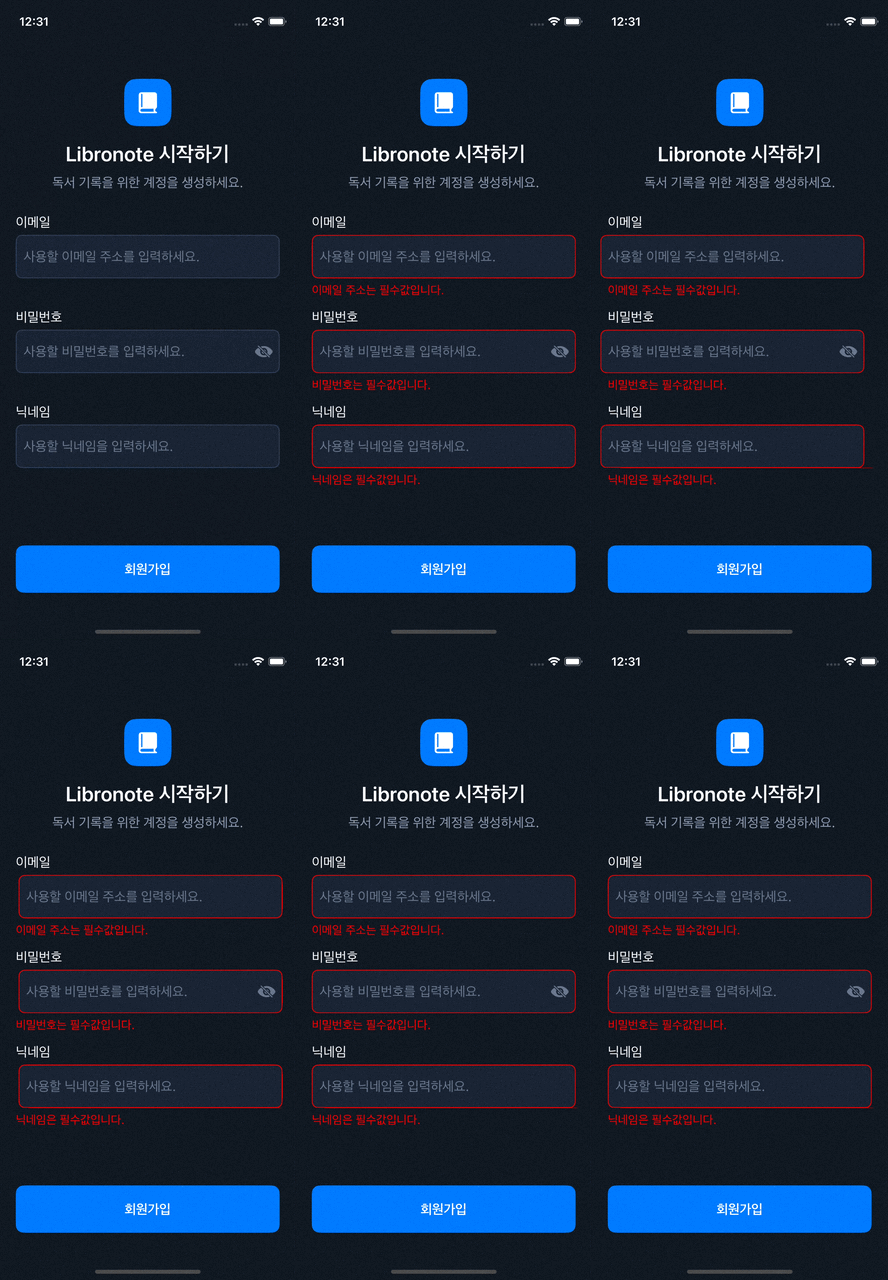
결과
Reference
- https://ios-development.tistory.com/841
- https://ios-development.tistory.com/908
- https://m.blog.naver.com/PostView.naver?blogId=mym0404&logNo=221573967543&categoryNo=56&proxyReferer=&noTrackingCode=true
- https://kkh0977.tistory.com/2536
- https://velog.io/@j_aion/UIKit-Animations-Shake-Animations
- https://blog.naver.com/tngh818/221539160018
This post is licensed under CC BY 4.0 by the author.