UIKit - 키보드 올라갔을 때, 내려갔을 때 NotificationCenter를 통해 처리하기
UIKit - 키보드 올라갔을 때, 내려갔을 때 NotificationCenter를 통해 처리하기
키보드 올라갔을 때, 내려갔을 때 NotificationCenter를 통해 처리하기
키보드가 올라가거나, 내려가는 시점 같은 것들은 애플에서 제공하는 NotificationCenter를 통해 처리가 가능함.
예시
1
2
3
4
5
6
7
8
9
10
11
12
13
14
15
16
17
18
19
20
21
22
23
24
25
26
27
28
29
30
31
32
33
34
35
36
37
38
39
40
41
42
43
44
45
46
47
48
49
50
51
52
53
54
55
56
57
58
59
60
61
62
63
64
65
import UIKit

class ViewController: UIViewController {

    let descriptionLabel: UILabel = {
        let label = UILabel()

        label.font = UIFont.boldSystemFont(ofSize: 22)
        label.text = "Notification 알림"

        return label
    }()

    let textField: UITextField = {
        let textField = UITextField()

        textField.borderStyle = .line

        return textField
    }()

    override func viewDidLoad() {
        super.viewDidLoad()

        view.addSubview(descriptionLabel)
        view.addSubview(textField)

        descriptionLabel.translatesAutoresizingMaskIntoConstraints = false
        textField.translatesAutoresizingMaskIntoConstraints = false

        NSLayoutConstraint.activate([
            descriptionLabel.topAnchor.constraint(equalTo: view.topAnchor, constant: 150),
            descriptionLabel.centerXAnchor.constraint(equalTo: view.centerXAnchor),

            textField.centerYAnchor.constraint(equalTo: view.centerYAnchor),
            textField.leadingAnchor.constraint(equalTo: view.leadingAnchor, constant: 20),
            textField.trailingAnchor.constraint(equalTo: view.trailingAnchor, constant: -20),
            textField.heightAnchor.constraint(equalToConstant: 50),
        ])

        // 키보드 올라갔을 때 Notification 핸들러 설정
        NotificationCenter.default.addObserver(self, selector: #selector(keyboardUp), name: UIResponder.keyboardWillShowNotification, object: nil)

        // 키보드 내려갔을 때 Notification 핸들러 설정
        NotificationCenter.default.addObserver(self, selector: #selector(keyboardDown), name: UIResponder.keyboardWillHideNotification, object: nil)
    }

    override func touchesBegan(_ touches: Set<UITouch>, with event: UIEvent?) {
        view.endEditing(true)
    }

    @objc func keyboardUp(){
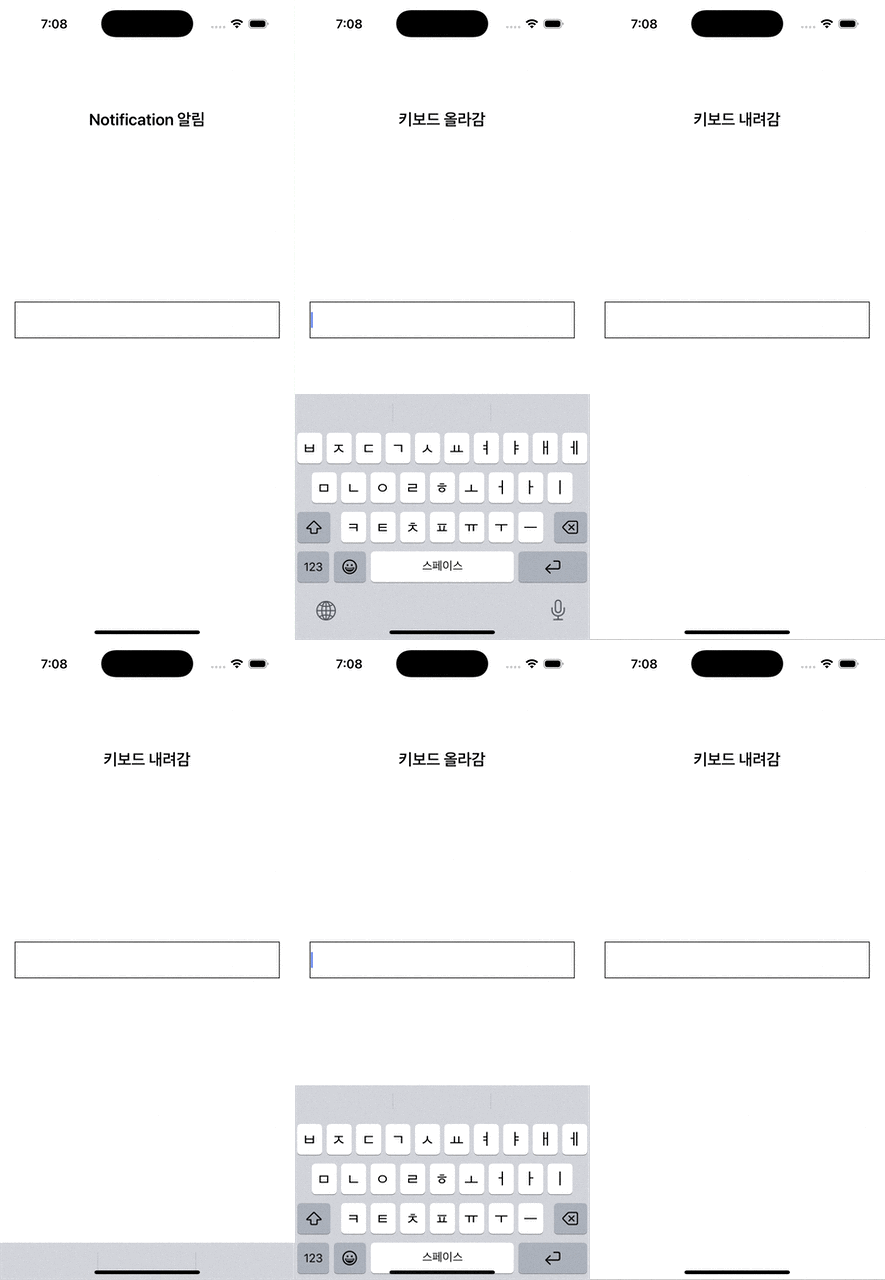
        descriptionLabel.text = "키보드 올라감"
    }

    @objc func keyboardDown(){
        descriptionLabel.text = "키보드 내려감"
    }

    deinit{
        // ViewController가 메모리에서 내려갈 때 등록된 Notification 핸들러 해제
        NotificationCenter.default.removeObserver(self, name: UIResponder.keyboardWillShowNotification, object: nil)
        NotificationCenter.default.removeObserver(self, name: UIResponder.keyboardWillHideNotification, object: nil)
    }
}
결과
This post is licensed under CC BY 4.0 by the author.