Troubleshooting - NavigationBar 겹침 현상 해결
Troubleshooting - NavigationBar 겹침 현상 해결
이슈
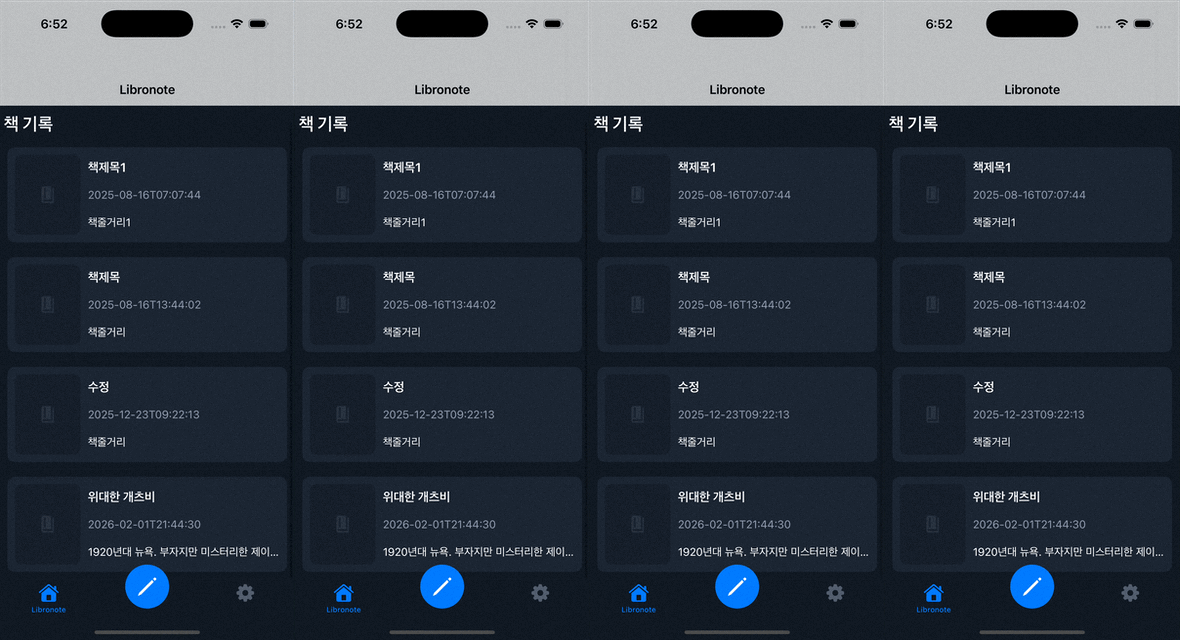
아래 화면과 같이 NavigationBar 영역이 엄청 크게 잡히는 것을 확인할 수 있음.
원인
View 계층 구조를 확인해본 결과 아래와 같이 NavigationBar가 2개가 생성되어 있음.
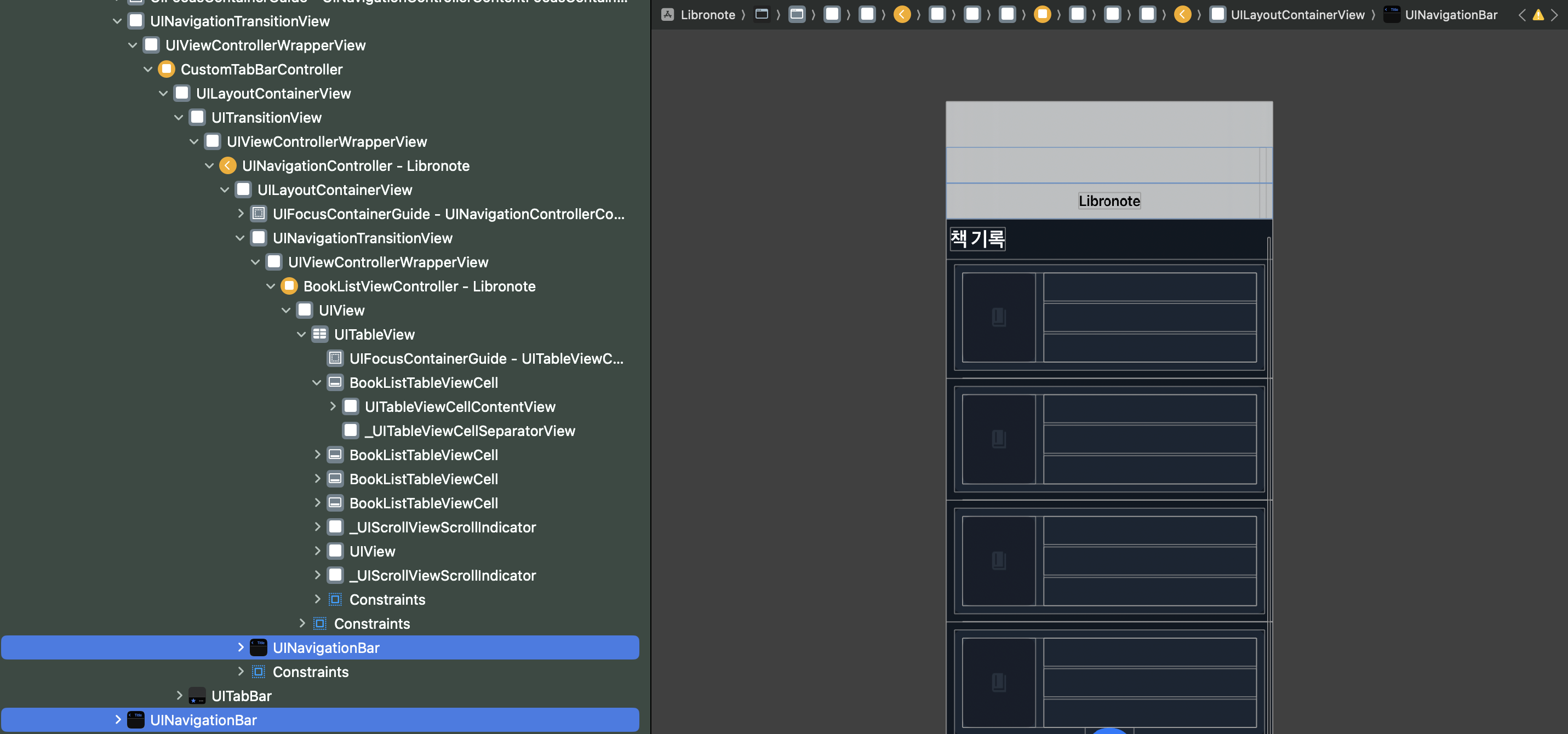
기억을 되짚어 코드를 찾아보던 도중 아래와 같이 SceneDelegate에서 TabBarController를 생성할 때에도 NavigationController를 한번 더 적용하여 이런 문제가 발생하는 것을 확인함.
SceneDelegate.swift
1
2
3
4
5
6
7
8
9
10
11
12
13
14
15
16
17
18
import UIKit

class SceneDelegate: UIResponder, UIWindowSceneDelegate {

    var window: UIWindow?

    func scene(_ scene: UIScene, willConnectTo session: UISceneSession, options connectionOptions: UIScene.ConnectionOptions) {
        guard let windowsScene = (scene as? UIWindowScene) else { return }

        window = UIWindow(windowScene: windowsScene)

        ...

        window?.rootViewController = UINavigationController(rootViewController: CustomTabBarController())
        window?.makeKeyAndVisible()
    }

}
CustomTabBarController.swift
1
2
3
4
5
6
7
8
9
10
11
12
13
14
15
16
17
18
19
20
21
22
import UIKit

final class CustomTabBarController: UITabBarController {

    override func viewDidLoad() {
        super.viewDidLoad()

        setupTabBar()
    }

    private func setupTabBar(){

        let bookListVC = UINavigationController(rootViewController: BookListViewController())

        viewControllers = [
            bookListVC
        ]

        ...
    }

}
해결
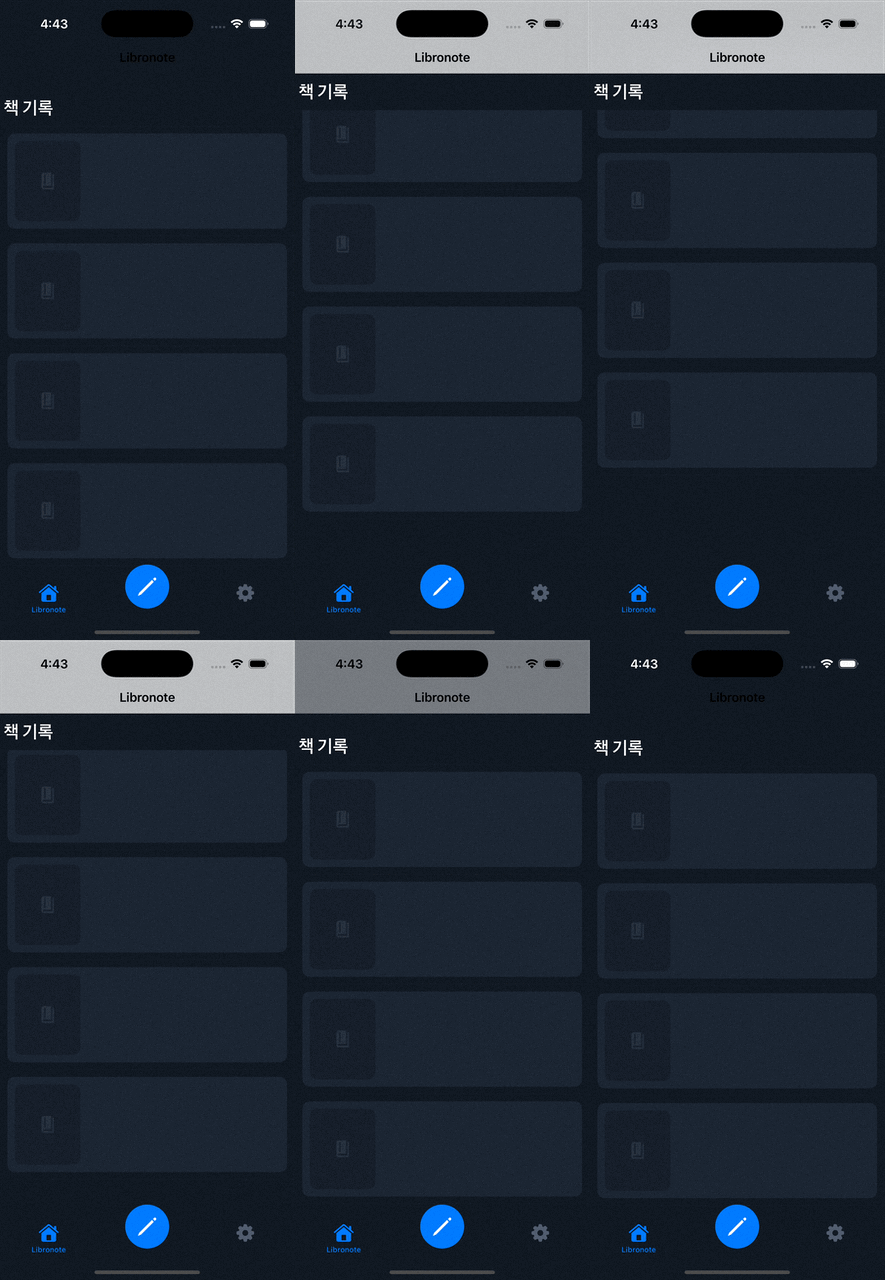
아래와 같이 NavigationController로 감싸는 로직을 제거하고, TabBarController가 생성되어 rootViewController로 설정되게끔하여 해결함.
SceneDelegate.swift
1
2
3
4
5
6
7
8
9
10
11
12
13
14
15
16
17
18
import UIKit

class SceneDelegate: UIResponder, UIWindowSceneDelegate {

    var window: UIWindow?

    func scene(_ scene: UIScene, willConnectTo session: UISceneSession, options connectionOptions: UIScene.ConnectionOptions) {
        guard let windowsScene = (scene as? UIWindowScene) else { return }

        window = UIWindow(windowScene: windowsScene)

        ...

        window?.rootViewController = CustomTabBarController()
        window?.makeKeyAndVisible()
    }

}
결과
This post is licensed under CC BY 4.0 by the author.