UIKit - 커스텀뷰 체크박스 구현하기
UIKit - 커스텀뷰 체크박스 구현하기
CheckboxButton.swift
1
2
3
4
5
6
7
8
9
10
11
12
13
14
15
16
17
18
19
20
21
22
23
24
25
26
27
28
29
30
import UIKit

class CheckboxButton: UIButton {

    // 클로저를 담을 프로퍼티
    var toggleHandler: ((Bool) -> Void)?

    override init(frame: CGRect) {
        super.init(frame: frame)

        setupCheckbox()
    }

    func setupCheckbox(){
      // touchUpInside 이벤트 핸들러 설정
        self.addTarget(self, action: #selector(checkBoxTapped), for: .touchUpInside)
    }

    required init?(coder: NSCoder) {
        fatalError()
    }

    @objc func checkBoxTapped() {
        // isSelected를 통해 선택 상태 관리
        isSelected.toggle()

        // 프로퍼티로 받은 클로저 실행
        toggleHandler?(isSelected)
    }
}
TodoCell.swift
1
2
3
4
5
6
7
8
9
10
11
12
13
14
15
16
17
18
19
20
21
22
23
24
25
26
27
28
29
30
31
32
33
34
import UIKit

class TodoCell: UITableViewCell {

    // 체크박스
    let isCompletedCheckbox: CheckboxButton = {
        let btn = CheckboxButton(type: .custom)

        // 사용할 이미지 설정
        let configuration = UIImage.SymbolConfiguration(pointSize: 20)
        let checkImage = UIImage(systemName: "checkmark.circle.fill", withConfiguration: configuration)
        let uncheckImage = UIImage(systemName: "circle", withConfiguration: configuration)

        // 버튼 배경 이미지 설정
        btn.setBackgroundImage(uncheckImage, for: .normal)
        btn.tintColor = UIColor(named: "yellowColor")

        // 클로저 넘기기
        btn.toggleHandler = { isSelected in
            if isSelected{
                btn.setBackgroundImage(checkImage, for: .normal)
            }else{
                btn.setBackgroundImage(uncheckImage, for: .normal)
            }
        }

        btn.translatesAutoresizingMaskIntoConstraints = false

        return btn
    }()

    ...

}
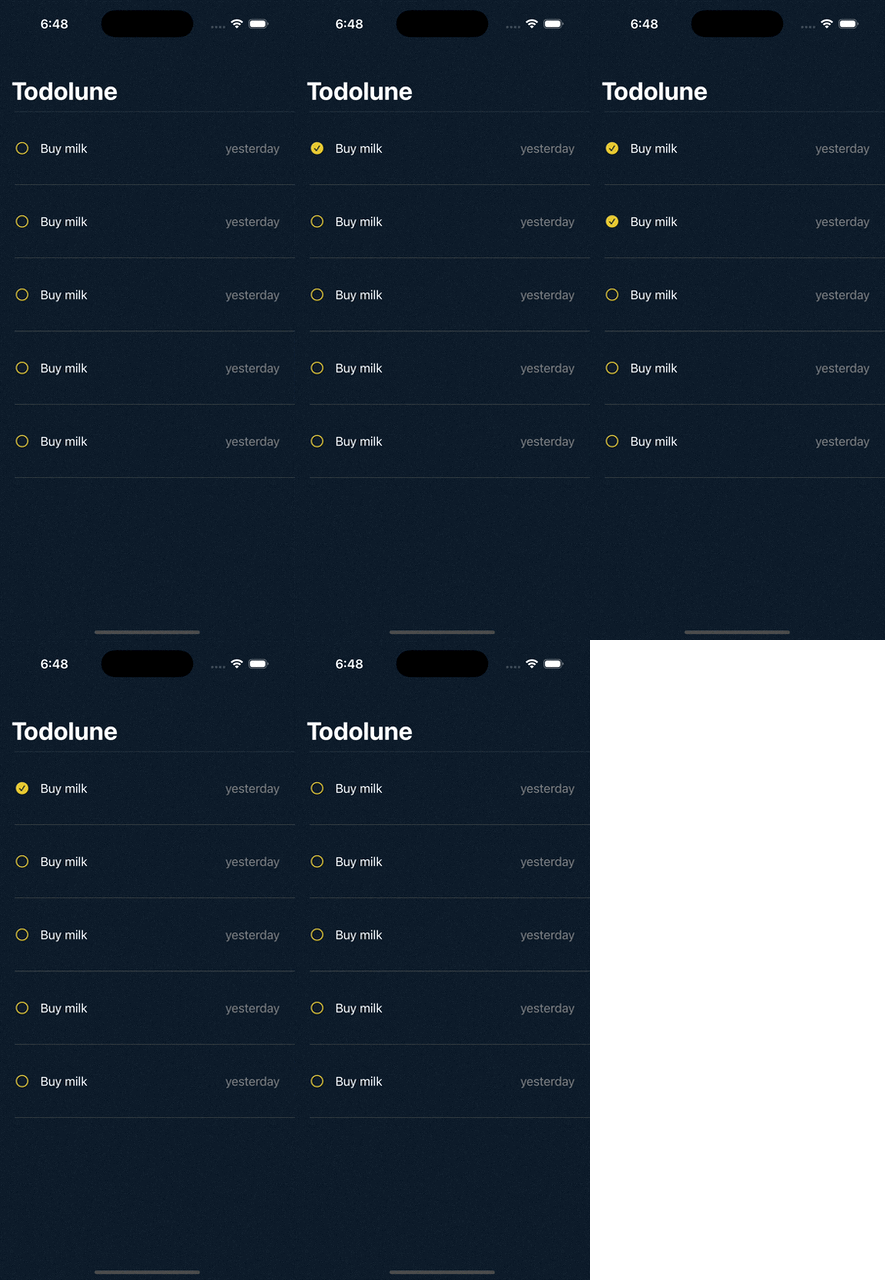
결과
Reference
This post is licensed under CC BY 4.0 by the author.