UIKIt - present한 NavigationController에서 backButton 설정하기
현재 내가 구현한 탭바는 아래 이미지와 같이 가운데 표시된 버튼을 통해 새로운 책 기록을 등록할 수 있는 화면으로 이동하도록 구현해둠.
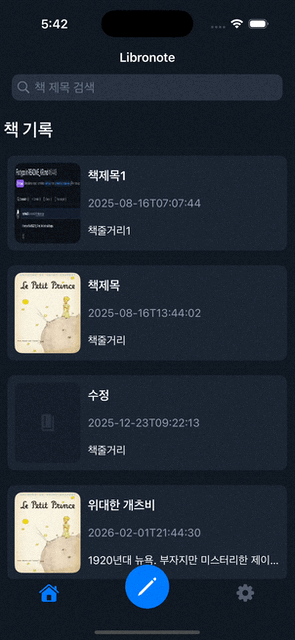
그래서, 옆으로 넘어가는 push 애니메이션보단 아래에서 위로 올라오는 present가 훨씬 더 자연스럽게 이어진다고 생각했음.
TabBarController에서 아래 코드처럼 책 기록 등록 화면으로 present해줌.
NavigationController로 감싸서 넘긴 이유는 이전 화면으로 돌아가는 버튼, navigation title을 쉽게 구현할 수 있도록 하기 위함임.
CustomTabBarController.swift
1
2
3
4
5
6
7
8
9
10
11
12
13
14
15
16
17
18
19
20
21
22
23
24
25
26
27
28
29
import UIKit

final class CustomTabBarController: UITabBarController {

    private func setCreateButton(){
        let button = UIButton(type: .system)
        let buttonSize: CGFloat = 60
        button.frame = CGRect(x: (tabBar.frame.size.width - buttonSize) / 2, y: -buttonSize / 3, width: buttonSize, height: buttonSize)

        let configuration = UIImage.SymbolConfiguration(pointSize: 25)
        let image = UIImage(systemName: "pencil", withConfiguration: configuration)

        button.layer.cornerRadius = buttonSize / 2

        button.setImage(image, for: .normal)
        button.backgroundColor = .systemBlue
        button.tintColor = .white
        button.addTarget(self, action: #selector(createButtonTapped), for: .touchUpInside)
        tabBar.addSubview(button)
    }

    @objc private func createButtonTapped(){
        let createBookVC = UINavigationController(rootViewController: CreateBookViewController())
        createBookVC.modalPresentationStyle = .fullScreen

        present(createBookVC, animated: true)
    }

}
이제 이전 화면으로 돌아오는 버튼을 넣어줘야하는데 이 경우에는 이동하기 전 화면에서 backButton을 설정해줘야하지만 push가 아닌 present 방식으로 띄웠기 때문에 navigation stack에 의해 자동으로 관리되는 backButton이 제대로 적용되지 않는 문제가 발생함.
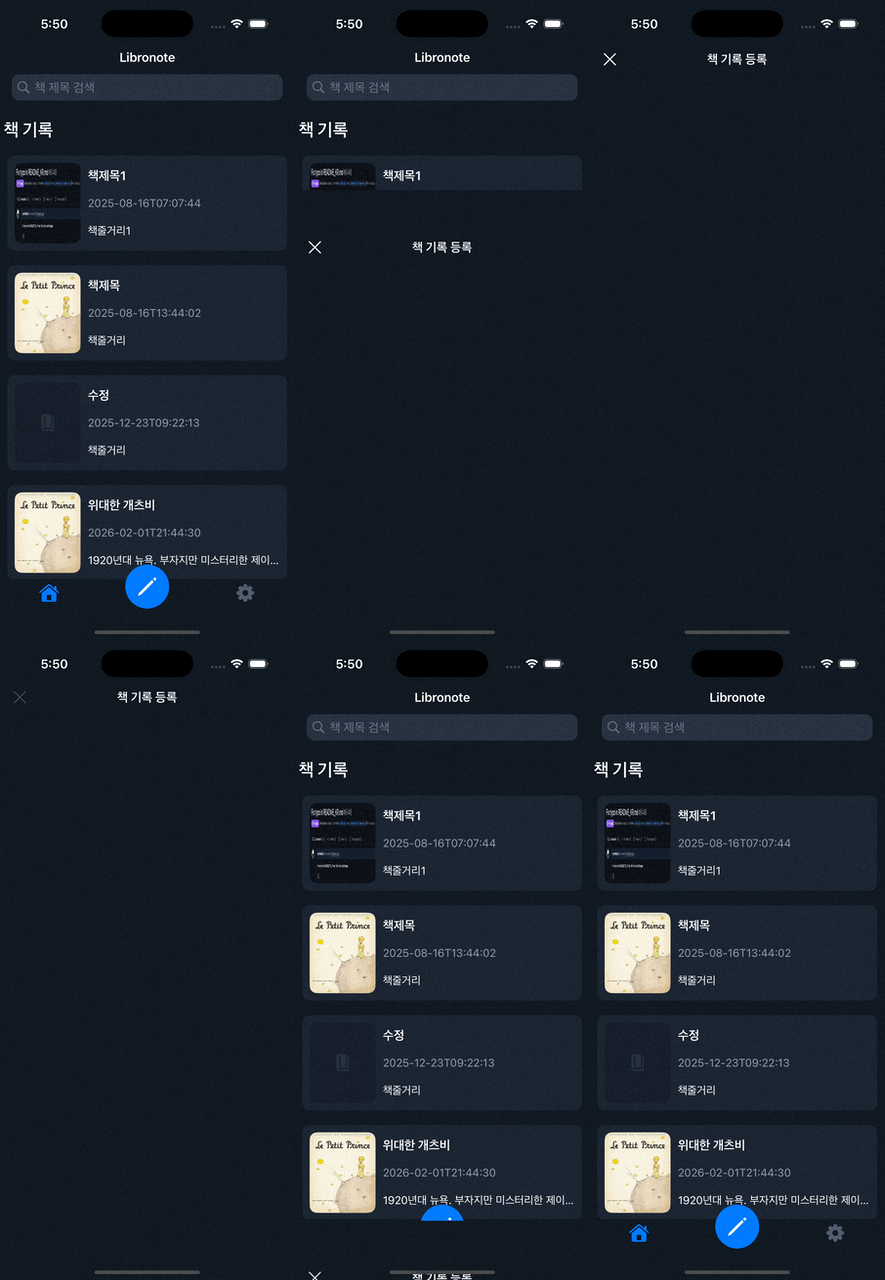
그래서 이를 우회하기 위해 이전 화면에서 backButton을 설정하는 것이 아닌 CreateBookViewController 내부에서 leftButton을 넣어 dismiss 시켜주는 방식으로 구현함.
CreateBookViewController.swift
1
2
3
4
5
6
7
8
9
10
11
12
13
14
15
16
17
18
19
20
21
import UIKit

final class CreateBookViewController: UIViewController {

    override func viewDidLoad() {
        super.viewDidLoad()

        self.navigationItem.title = "책 기록 등록"
        self.view.backgroundColor = .background

        // navigationItem leftButton 설정
        let backButton = UIBarButtonItem(image: UIImage(systemName: "xmark"), style: .plain, target: self, action: #selector(dismissMainView))
        backButton.tintColor = .white
        self.navigationItem.leftBarButtonItem = backButton
    }

    @objc private func dismissMainView(){
        dismiss(animated: true)
    }
}
결과
This post is licensed under CC BY 4.0 by the author.