UIKit - CoreData 프로젝트 설정 및 엔티티 생성하기
UIKit - CoreData 프로젝트 설정 및 엔티티 생성하기
1. 프로젝트 생성 시 Core Data 사용 설정
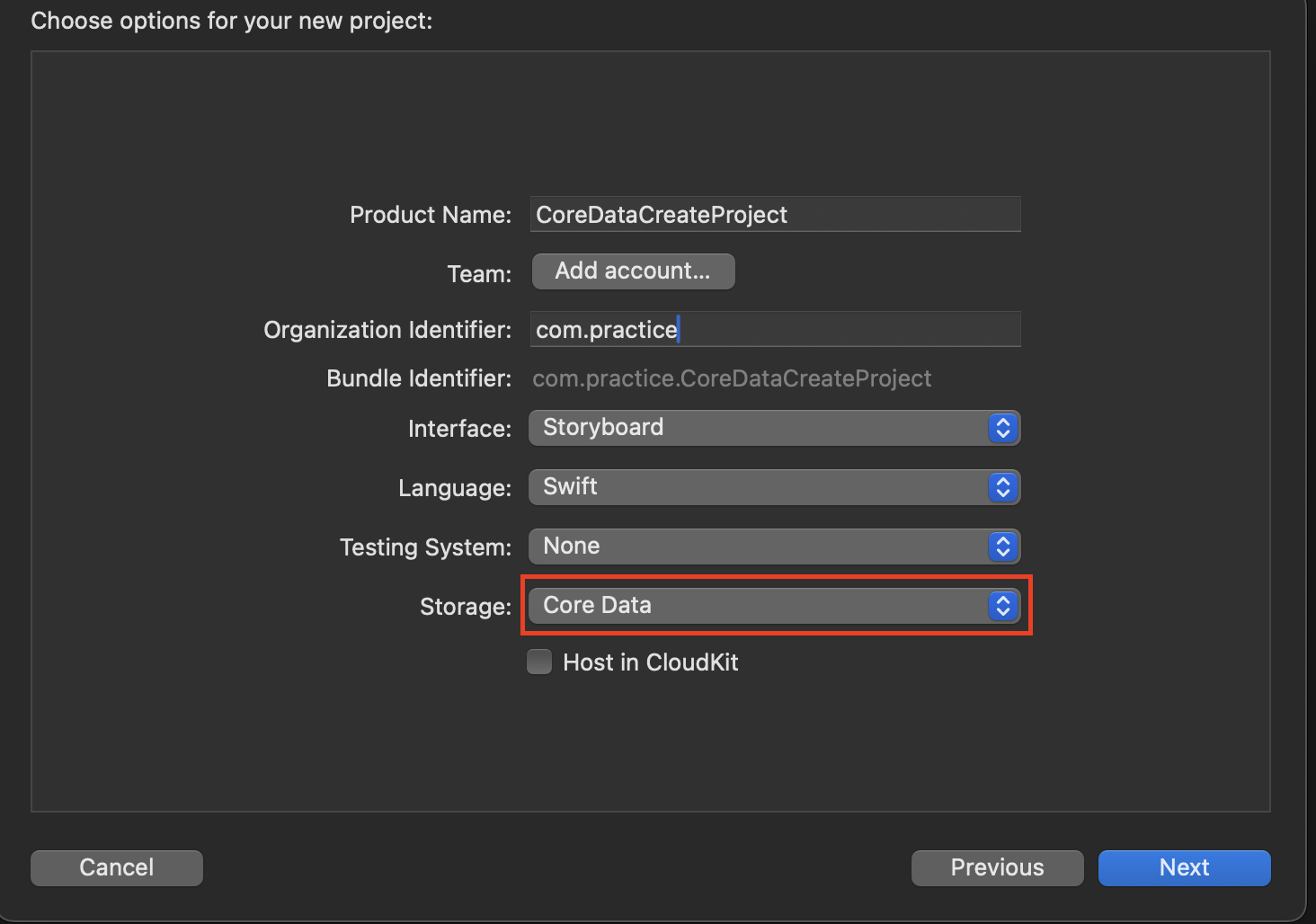
이미 생성된 프로젝트에는 새로운
Data Model파일을 생성하여 처리 가능함. 단AppDelegate에 아래에서 나오는 코드를 직접 설정해줘야함.
2. 프로젝트 이름으로 생성된 Data Model 클래스에 접근하여 Entity 생성
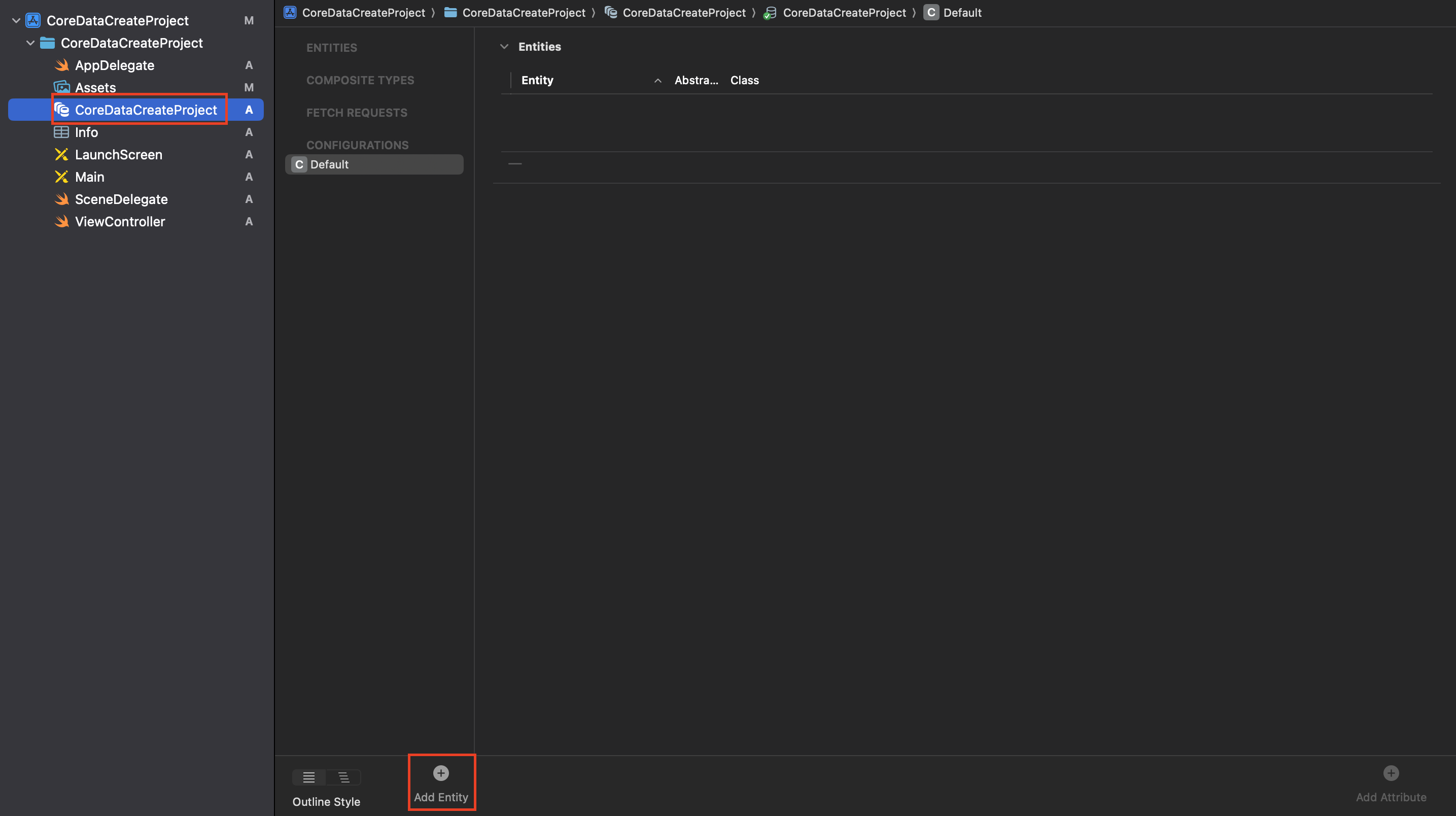
3. 생성된 Entity명을 용도에 맞게 변경한 후 Attribute 설정

4. 직접 Entity 파일을 생성할 것이기 때문에 Codegen 설정 None으로 변경
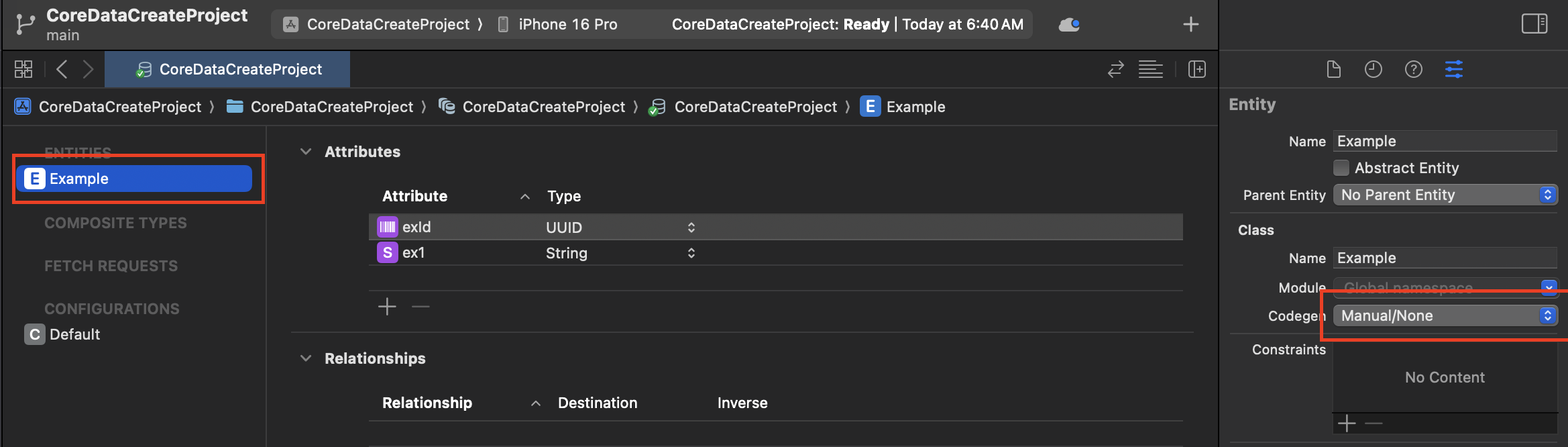
Codegen을 None으로 설정해야 Xcode가 자동으로 클래스를 생성하는 걸 막고, 개발자가 직접 만든 Entity 클래스가 충돌 없이 사용됨.
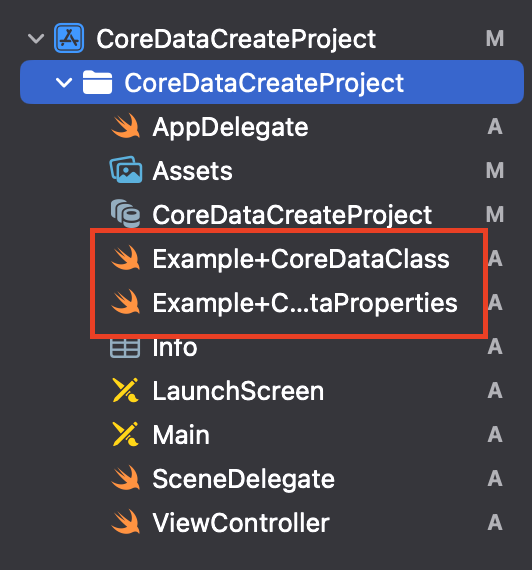
5. Editor > Create NSManagedObject Subclass를 클릭하여 Entity 클래스 생성
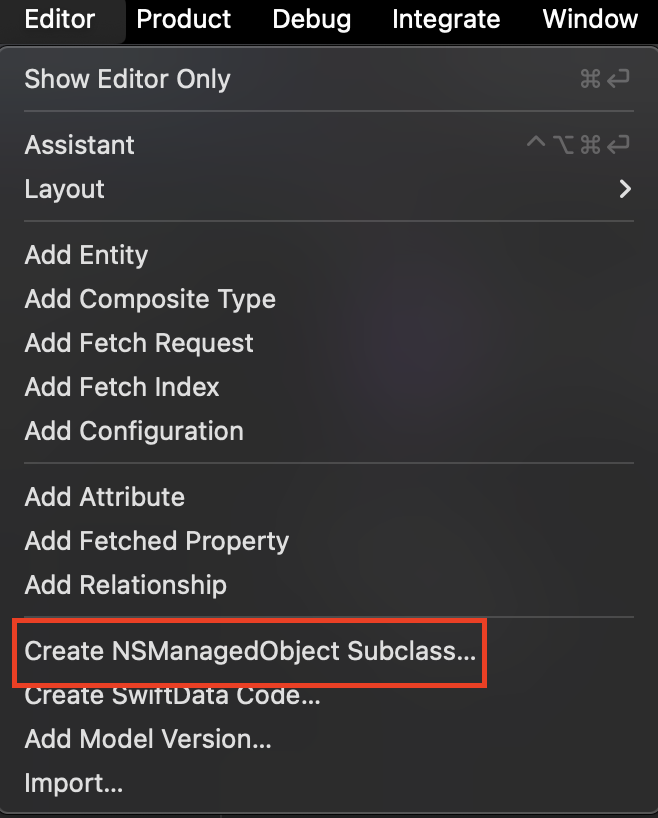
6. 생성된 Entity 클래스 확인
7. AppDelegate에 생성된 코드 확인
AppDelegate.swift
1
2
3
4
5
6
7
8
9
10
11
12
13
14
15
16
17
18
19
20
21
22
23
24
25
26
27
28
29
30
31
32
33
34
35
36
37
38
39
40
41
42
43
44
45
46
47
48
49
50
51
import UIKit
import CoreData

@main
class AppDelegate: UIResponder, UIApplicationDelegate {

    // MARK: - Core Data stack

    lazy var persistentContainer: NSPersistentContainer = {
        /*
         The persistent container for the application. This implementation
         creates and returns a container, having loaded the store for the
         application to it. This property is optional since there are legitimate
         error conditions that could cause the creation of the store to fail.
        */
        let container = NSPersistentContainer(name: "CoreDataCreateProject")
        container.loadPersistentStores(completionHandler: { (storeDescription, error) in
            if let error = error as NSError? {
                // Replace this implementation with code to handle the error appropriately.
                // fatalError() causes the application to generate a crash log and terminate. You should not use this function in a shipping application, although it may be useful during development.

                /*
                 Typical reasons for an error here include:
                 * The parent directory does not exist, cannot be created, or disallows writing.
                 * The persistent store is not accessible, due to permissions or data protection when the device is locked.
                 * The device is out of space.
                 * The store could not be migrated to the current model version.
                 Check the error message to determine what the actual problem was.
                 */
                fatalError("Unresolved error \(error), \(error.userInfo)")
            }
        })
        return container
    }()

    // MARK: - Core Data Saving support

    func saveContext () {
        let context = persistentContainer.viewContext
        if context.hasChanges {
            do {
                try context.save()
            } catch {
                // Replace this implementation with code to handle the error appropriately.
                // fatalError() causes the application to generate a crash log and terminate. You should not use this function in a shipping application, although it may be useful during development.
                let nserror = error as NSError
                fatalError("Unresolved error \(nserror), \(nserror.userInfo)")
            }
        }
    }
}
This post is licensed under CC BY 4.0 by the author.